

Sales software comes and goes, but every few years a tool quietly reshapes how small and mid-sized teams actually close deals. Pipedrive is one of those tools — and in 2026 it’s still one of the sharpest, most sales-focused CRMs on the market. Here’s an honest, up-to-date look at what it does well, where it struggles, and whether it deserves a spot in your stack.
Why the Pipeline-First Mindset Still Wins
Most CRMs try to be everything to everyone. They promise marketing automation, ticketing, knowledge bases, customer portals, and a hundred other features that sound great in a demo but rarely get used. The result is familiar to anyone who has ever inherited a half-abandoned CRM: a bloated system that the sales team quietly avoids.
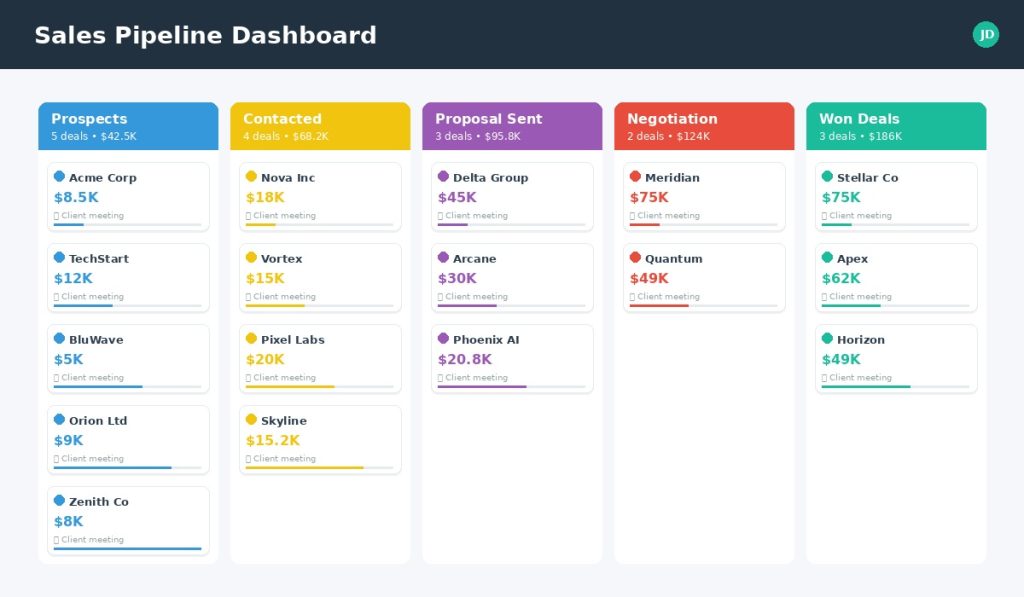
Pipedrive took a different path from the day it launched in Estonia back in 2010. Instead of building around contacts or tickets, the founders built around the one thing salespeople truly care about: the deal. Open the app and you don’t see a dashboard full of metrics — you see a kanban board of opportunities, each card representing money that could land in your bank account.
That single design decision is why Pipedrive still feels fresh almost fifteen years later. The visual pipeline isn’t a feature; it’s the philosophy.
What Pipedrive Actually Does (Without the Marketing Speak)
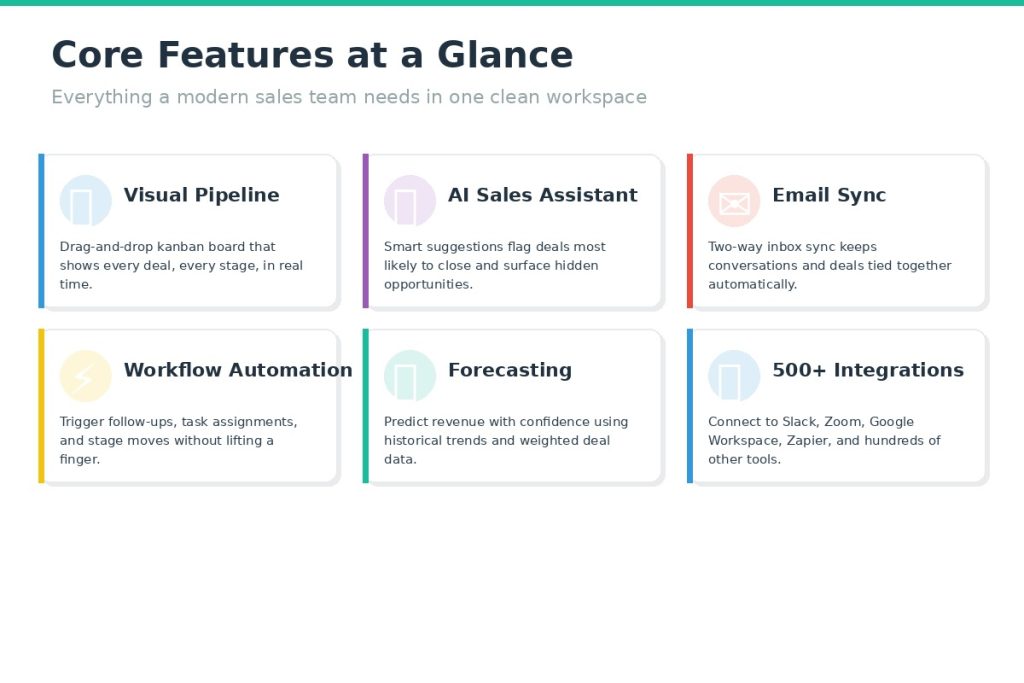
Strip away the brochure language and Pipedrive is essentially six things working together. Each one is designed to reduce friction for the person whose job is to sell.
1. A Truly Visual Pipeline
The kanban board is still the star of the show. Stages are fully customizable — you decide whether your process looks like Lead → Contacted → Demo → Proposal → Won, or something with twelve micro-stages specific to your industry. Cards show the deal name, value, owner, and next activity at a glance. Dragging a card to the next column updates every report in the background.
Teams that manage more than one sales motion (for example, new business vs. renewals) can run multiple pipelines side by side without the interfaces bleeding into each other. This is where Pipedrive quietly outclasses general-purpose CRMs: it treats a pipeline as the primary unit of work, not a side view.
2. Activity-Based Selling
This is the idea that really separates Pipedrive from its competitors. Every deal must have a “next activity” attached to it — a call, a meeting, an email, a task. If a deal has no next activity, the card turns red and nags at you until you schedule one. Over time, this small mechanic changes team behavior. Deals stop going cold because nobody forgot them; they just sit there waiting for an action, visible and accountable.
3. Email That Lives Where the Deals Live
Two-way email sync (available from the Advanced plan upward) pulls conversations directly into the deal record. You can write, send, and track messages without leaving the CRM, and the system will tell you when a prospect opened your note or clicked a link. Templates and merge fields handle the repetitive outreach, while automation can trigger a follow-up sequence the moment a deal moves between stages.
4. Workflow Automation
Automations in Pipedrive are refreshingly practical. The builder is visual, event-based (“when a deal reaches stage X, do Y”), and doesn’t require any scripting. Common recipes — welcoming a new lead, assigning a rep, creating a follow-up task, sending a thank-you email after a deal is won — can be set up in a few minutes. The higher your plan, the more active automations you can run simultaneously.
5. The AI Sales Assistant
AI inside CRMs often feels like a bolt-on gimmick. Pipedrive’s version is more modest and, because of that, more useful. It watches your pipeline behavior and surfaces three kinds of signal: deals that look likely to close, deals that have gone suspiciously quiet, and simple performance snapshots for the team. It will also draft email copy and summarize long threads, which saves ten to fifteen minutes a day for most reps.
6. Forecasting and Reporting
Forecasting uses your historical win rate and weighted deal values to project revenue for the coming weeks and months. It’s not a full-blown BI suite, but it answers the question most sales managers actually ask on Monday morning: based on what’s in the pipeline, what’s my number likely to be? Customizable dashboards and goal tracking round it out, though the deeper reporting features live on the Professional plan and up.
A Marketplace Instead of a Monolith
One of Pipedrive’s smartest strategic choices was not trying to build every adjacent tool in-house. Instead, the team built an open marketplace with 500+ integrations covering email marketing, calling, video conferencing, document management, accounting, analytics, project management, and AI add-ons. Slack, Zoom, Gmail, Outlook, Zapier, Make, QuickBooks, Xero, Trello, Asana — they’re all one or two clicks away.
For teams that already have a tech stack, this is a relief. You don’t have to rip out the tools you love. You just connect them to Pipedrive and let the data flow.
Who Pipedrive Is Really Built For
Pipedrive isn’t trying to be the CRM for a Fortune 100 bank. It’s deliberately opinionated about who it serves, and that focus is a feature — not a flaw.
If you run a small or mid-sized sales team (roughly two to fifty people) that spends most of its day moving opportunities forward, Pipedrive will feel built for you. The same is true for growing startups trying to impose structure on a chaotic sales process for the first time, and for B2B service firms — agencies, consultancies, SaaS vendors — whose sales cycles involve multiple touchpoints and custom proposals.
Solo founders and small-business owners are another sweet spot. You don’t need an admin to keep the system running, and the entry-level plan is affordable enough to pay for itself the moment it helps you close a single extra deal.
Where Pipedrive is not the right tool: giant enterprises that need deep role-based permissions, organizations whose customer relationships are driven by support tickets rather than deals, and teams that want an all-in-one marketing + sales + service platform out of the box. For those use cases, heavier platforms like HubSpot, Salesforce, or Zoho One will fit better — at significantly higher cost and complexity.
Pricing in 2026: Getting the Math Right
Pipedrive is billed per user per month, with a meaningful discount for annual payment. There are four main plans — Essential, Advanced, Professional, and Enterprise — plus paid add-ons for things like email marketing campaigns, lead generation, web visitor tracking, and smart documents.
A few honest observations on the pricing:
- The Essential plan is genuinely useful, not a crippled teaser. You get the pipeline, contact management, and mobile apps. For a solo founder or a two-person team, it’s enough to run your whole sales motion.
- Most teams will end up on Advanced or Professional. Two-way email sync and workflow automation are on Advanced; AI features, better reporting, and team management live on Professional.
- Enterprise is for structure, not features. Its main advantages are unlimited customizations, stronger security options, and dedicated support. Most small teams will never need it.
- Watch the add-ons. Campaigns, Smart Docs, LeadBooster, and Web Visitors are separate line items. They’re useful, but they stack up quickly if you activate them all.
A 14-day free trial is available with full access to all core features and no credit card required, which is the right way to evaluate the tool. There is no permanent free plan, unlike HubSpot or Zoho — which is either a dealbreaker or a non-issue depending on your budget.
Prices and plan names change; always verify the current numbers on pipedrive.com before committing.
The Honest Strengths and Weaknesses
No tool is perfect, and a review that pretends otherwise isn’t worth reading. Here is the real picture after weighing user reviews, independent testing, and product documentation.
What Pipedrive Does Brilliantly
The interface is fast and uncluttered. Onboarding typically takes hours, not weeks. The visual pipeline genuinely changes how a team thinks about its work — accountability becomes visible rather than theoretical. Customization is deep enough to fit most B2B sales motions without a consultant. And the marketplace ensures you rarely hit a dead end when you want to connect another tool.
Users consistently praise the low learning curve and the feeling that Pipedrive gets out of the way. That’s harder to engineer than it sounds.
Where Pipedrive Falls Short
The absence of a permanent free tier is the most common complaint. Many competitors let you start at zero, and Pipedrive’s 14 days can feel tight if you’re comparing several CRMs at once. Two-way email sync sitting behind the Advanced plan is another friction point — it’s the kind of feature users expect on day one.
Reporting on the entry tiers is adequate rather than impressive, so data-hungry managers will push toward Professional or higher. Marketing capabilities, even with the Campaigns add-on, don’t match a dedicated email marketing platform. And phone support is reserved for higher plans, which matters if your team expects live help during a crunch.
None of these are dealbreakers, but they’re worth knowing before you subscribe.
Is Pipedrive Still the Right CRM in 2026?
Here’s the short version: if your sales process is built around deals moving through stages, Pipedrive is one of the best tools you can put in front of your team. The philosophy hasn’t drifted. The interface is still clean. The automations and AI features have matured enough to justify the price, and the integration ecosystem means you don’t have to compromise on the rest of your stack.
If you need a full marketing + service + sales suite in one product, or you’re running a 10,000-person enterprise with complex compliance requirements, look elsewhere. Pipedrive is not trying to win that battle.
But for everyone in the broad middle — the growing startups, the independent consultancies, the two-person businesses that just hired their first full-time salesperson — Pipedrive remains an easy recommendation. It does one thing extremely well, and that one thing happens to be the thing that pays the bills.
Quick-Reference Summary
| Dimension | Verdict |
|---|---|
| Best for | SMB and mid-market sales teams, B2B service firms, growing startups |
| Core strength | The clearest visual pipeline in the CRM market |
| Main weakness | No permanent free plan; key features live on higher tiers |
| Onboarding time | Hours, not weeks |
| Integrations | 500+ via marketplace |
| Mobile apps | iOS and Android, well-rated |
| Free trial | 14 days, full access, no card |
| Bottom line | If you sell deals, you should try it |
Have you used Pipedrive in the last year? Tell us how it’s worked for your team in the comments — we read every response..